Payments
How to Set Up a Decentralized Cloud VM with Aleph CLI
Deploy a decentralized VM in 10 minutes with Aleph Cloud's Rust CLI. Install, fund with USDC/ALEPH, launch Ubuntu instances for ~$10/month, and SSH in. No Python, no centralized cloud.
6 min. read -
Table of contents
Bridging IPv4 and IPv6: The automated gateway
Custom domains: human-friendly access to dApps
Why this matters for developers and businesses
Aleph Cloud is built for the future of networking, assigning every instance a native IPv6 address by default. This unlocks a massive address space and enables advanced networking features. However, since much of the internet still operates on IPv4, direct access from IPv4-only clients to IPv6-only instances can be a challenge. Aleph Cloud bridges this gap with automated IPv4-to-Instance gateways and a robust custom domains system, making decentralized applications accessible to everyone.
Aleph Cloud’s automated IPv4-to-Instance gateway allows you to expose specific TCP/UDP ports on your private IPv6 instance to the public IPv4 internet.
How it works
** • Configuration via Wallet**
As an instance owner, you use your Aleph wallet to publish an Aggregate, a decentralized configuration message. This message defines which ports on your instance should be exposed.
** • Compute Resource Node (CRN) fetches the rule**
The CRN hosting your instance retrieves the latest port-forwarding rules from the Aggregate, matching them to its local instances.
** • Dynamic Firewall Programming**
The CRN dynamically configures its firewall (nftables) to:
** • Traffic Redirection**
When a user connects via IPv4, the CRN’s DNAT rule rewrites the packet’s destination, forwarding it to the specified port on your IPv6 instance.
Result:
Users on the legacy IPv4 internet can seamlessly access services running on your IPv6-only instance. The protocol translation is automatic and invisible, providing secure, controlled access to your decentralized applications
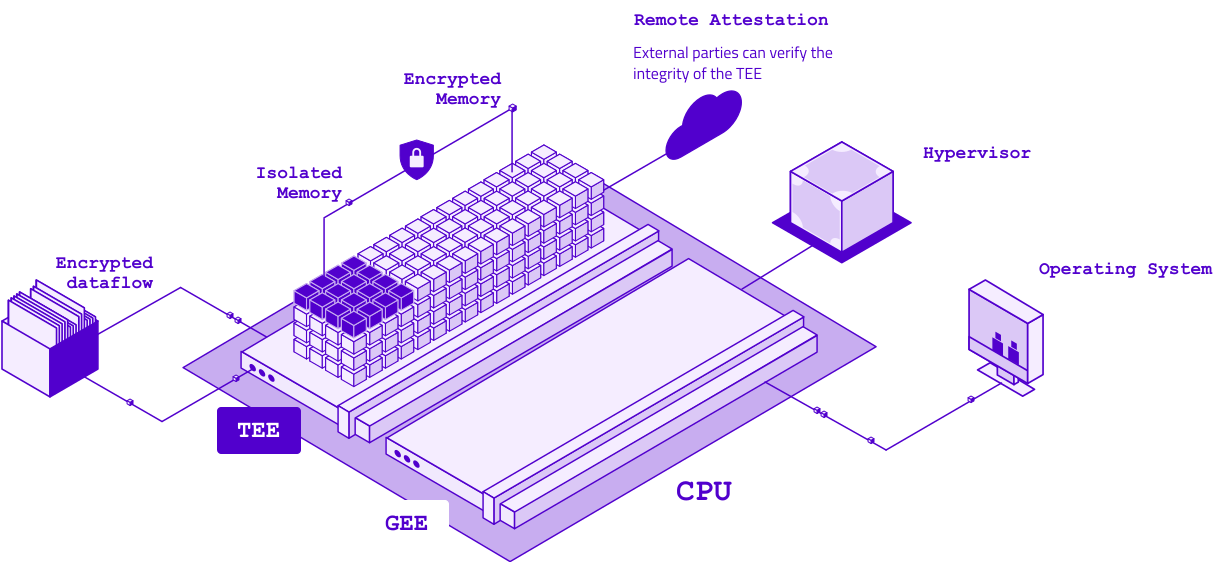
Deploy Your Own Confidential VM
Follow our guide to set up secure, AMD SEV-powered Confidential Virtual Machines and protect your data.
The challenge
By default, Aleph Cloud instances are accessed via IP addresses or internal identifiers, not ideal for user experience or branding.
The Solution: DNS and proxy-powered routing
Aleph Cloud’s custom domains feature lets you map memorable domain names (i.e myapp.mydomain.com) to your instances, bridging both IPv4 and IPv6 networks.
Technical workflow
DNS Setup
Configure your domain’s DNS records at your registrar to point your chosen subdomain to the public IPv4 address of Aleph’s Custom Domains Proxy service.
Decentralized mapping via wallet
Use your Aleph wallet to create a mapping in the decentralized Aggregate store, linking your domain to your instance’s unique ID (item_hash).
CRN service discovery
The CRN hosting your instance:
Dynamic proxy configuration
The CRN updates its internal HAProxy reverse proxy in real time, mapping incoming domain requests to the correct instance without downtime.
End-user experience
A user accesses myapp.mydomain.com; DNS resolves to the CRN’s public IPv4 address.
The request hits HAProxy, which inspects the domain (using SNI for HTTPS).
HAProxy routes the connection to the correct IPv6 instance and port.
Result:
End-users enjoy a frictionless experience, accessing your app via a simple domain name, completely unaware of the underlying IPv6 infrastructure or the sophisticated routing behind the scenes. HAProxy acts as the intelligent traffic director, using decentralized Aggregates as its routing map
Ready to make your decentralized app accessible to the world?
Leverage Aleph Cloud’s automated gateways and custom domains to deliver seamless, professional, and universally accessible applications, no matter where your users are connecting from.
More informations:
https://github.com/aleph-im/aleph-vm/releases/tag/1.6.0
https://github.com/aleph-im/pyaleph/releases/tag/0.8.0
VPS starter - Only $1.68/Month
1 vCore - 2GB Ram - 20 GB NVMe - ∞ Mbps
Payments
Deploy a decentralized VM in 10 minutes with Aleph Cloud's Rust CLI. Install, fund with USDC/ALEPH, launch Ubuntu instances for ~$10/month, and SSH in. No Python, no centralized cloud.
Computing
Aleph tokenomics introduces a dual-stream rewards model for decentralized cloud operators: a transitional reward floor plus a usage-based revenue share.
Payments
Pay As You Go and Holder Tier payments are officially deprecated. Aleph Cloud now runs on a single credit system. Top up with USDC, fiat, or ALEPH and pay for what you use.
Virtual Machines
Explore how OpenClaw AI agents, and Aleph Cloud’s decentralized AI Supercloud are redefining autonomous computing with sovereign, censorship-resistant infrastructure.